

Guide
How long an Xbox controller battery pack lasts
A pack runs flat at the worst moment of a match, and the number printed on it is your first clue to how soon. Learn what that number means, how long each of our pack sizes is rated to play, and how to set up a swap so a charged pack is always waiting.
The number on the pack
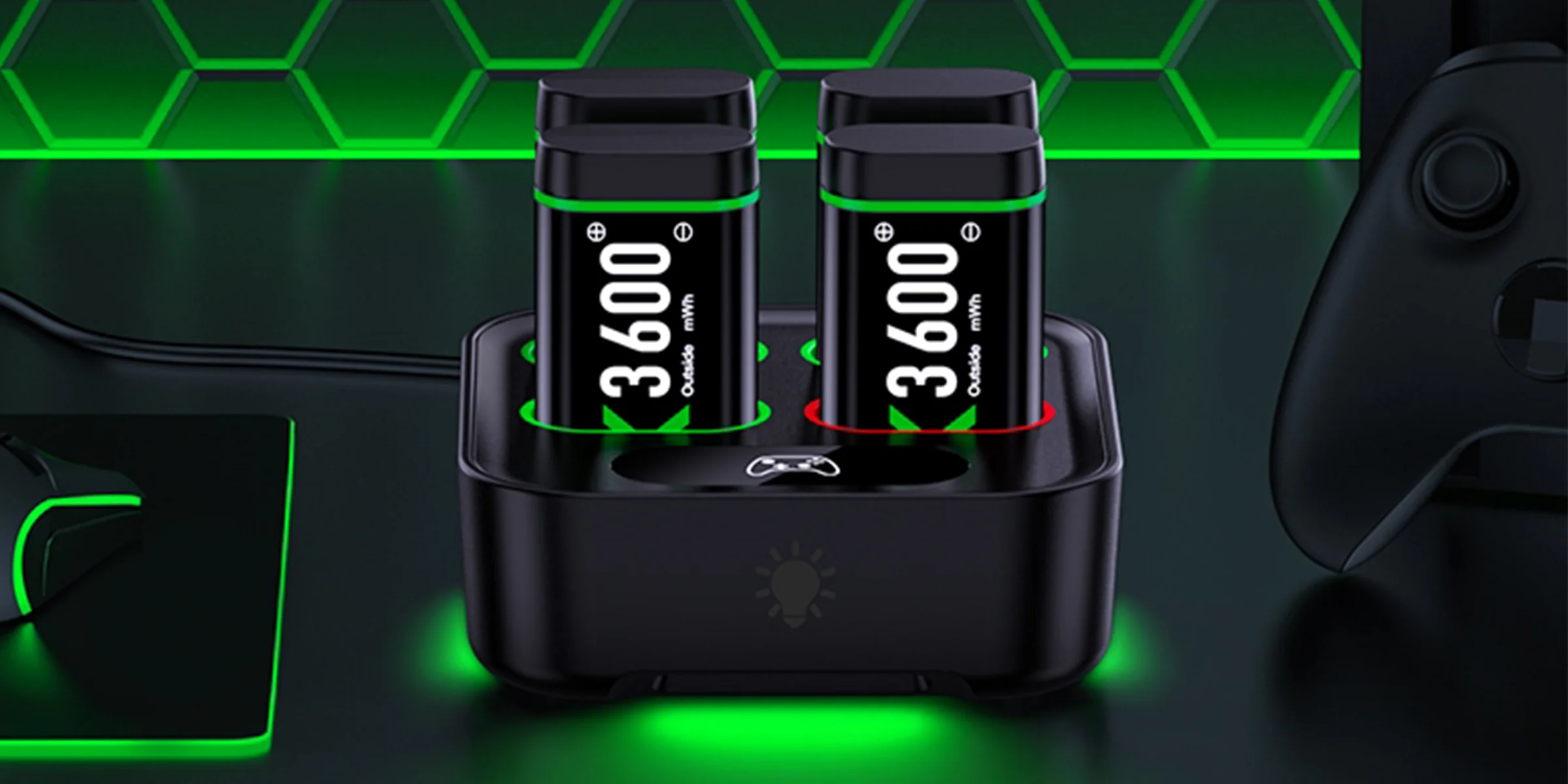
Every pack we make carries a number with letters after it, such as 4080 mWh or 6200 mWh. The letters stand for milliwatt-hours, a measure of how much energy the pack holds. Think of it as the size of the tank. With the same controller and the same game, a bigger number means more play between charges.
One charger in our lineup is sold by mAh, short for milliamp-hours: the Quad Charger with Built-In Cable comes with four 2550 mAh packs. That unit counts electric charge rather than energy, and turning one into the other takes the voltage of the cells. Its box art does that sum for you and gives the same pack as 5520 mWh, so it sits in the 5520 row with the A100 packs, rated for 20 to 25 hours of play.
Our packs come in five mWh sizes: 3600, 4080, 4800, 5520 and 6200. The smallest ride in the six-pack station made for a house with several controllers. At the other end, the 6200 mWh packs sit in the RGB station and in the palm-sized compact charger. Long sessions between swaps call for the top of that list, and the 6200 mWh battery page sets the two chargers that carry the biggest size side by side.
Why a bigger pack takes longer to charge
A dock can only push energy into a pack at a certain pace. Fill a bigger tank through the same hose and it takes longer, and our rated charge times roughly follow that order. The 4080 mWh packs of the quad dock are rated at 2.5 to 3 hours. At 4800 and 5520 mWh the figure climbs to about 4 hours, or 3 to 4 hours a pack on the PRO station. The 6200 mWh packs need 4 to 5 hours in the RGB station and about 5 in the compact charger.
This sets the rhythm of your evening. A big pack dropped on the dock between two short matches will still show red when you come back for it. Quick turnarounds suit the 4080 mWh size. A 6200 mWh pack makes more sense charging overnight, or through a working day while the console sits idle.
| Pack size | Product | Rated play time | Rated charge time |
|---|---|---|---|
| 3600 mWh | Six-Pack Charging Station, 6 packs | Not stated | Not stated |
| 4080 mWh | Quad Charging Dock, 4 packs | About 10 hours | 2.5 to 3 hours |
| 4800 mWh | Play and Charge Kit, 2 packs | 8 to 12 hours per pack | About 4 hours |
| 4800 mWh | Quad Charger with Light Switch, 4 packs | Up to 20 hours | About 4 hours |
| 4800 mWh PRO | PRO Charging Station, 4 packs | About 15 hours | 3 to 4 hours per pack |
| 5520 mWh | A100 Charging Station, 2 or 4 packs | 18 to 25 hours | About 4 hours |
| 5520 mWh | A100 Spare Battery Set, 2 packs | Not stated | Charges in the A100 station |
| 6200 mWh | RGB Charging Station, 2 or 4 packs | 15 to 20 hours | 4 to 5 hours |
| 6200 mWh | Compact Dual Charger, 2 packs | About 30 hours across both packs | About 5 hours |
| 5520 mWh (2550 mAh) | Quad Charger with Built-In Cable, 4 packs | 20 to 25 hours | 5 to 6 hours |
Read each row as the figure printed for that product, not as a law of the pack size. Three of our products hold 4800 mWh packs, and they give three different play times: up to 20 hours, about 15 hours, and 8 to 12 hours for each pack of the kit. Your own game and habits move the result in your hands. Use the table to compare our products with each other rather than to predict one particular evening.
The swap routine
A controller with a single pack dies whenever someone forgets to charge it. Two packs change that. One stays in the controller, the other waits on the dock, and you trade them when the first runs low.
- Put a charged pack in the controller and set the second one on the dock.
- Play until the controller runs low, then pause at a safe moment in the game.
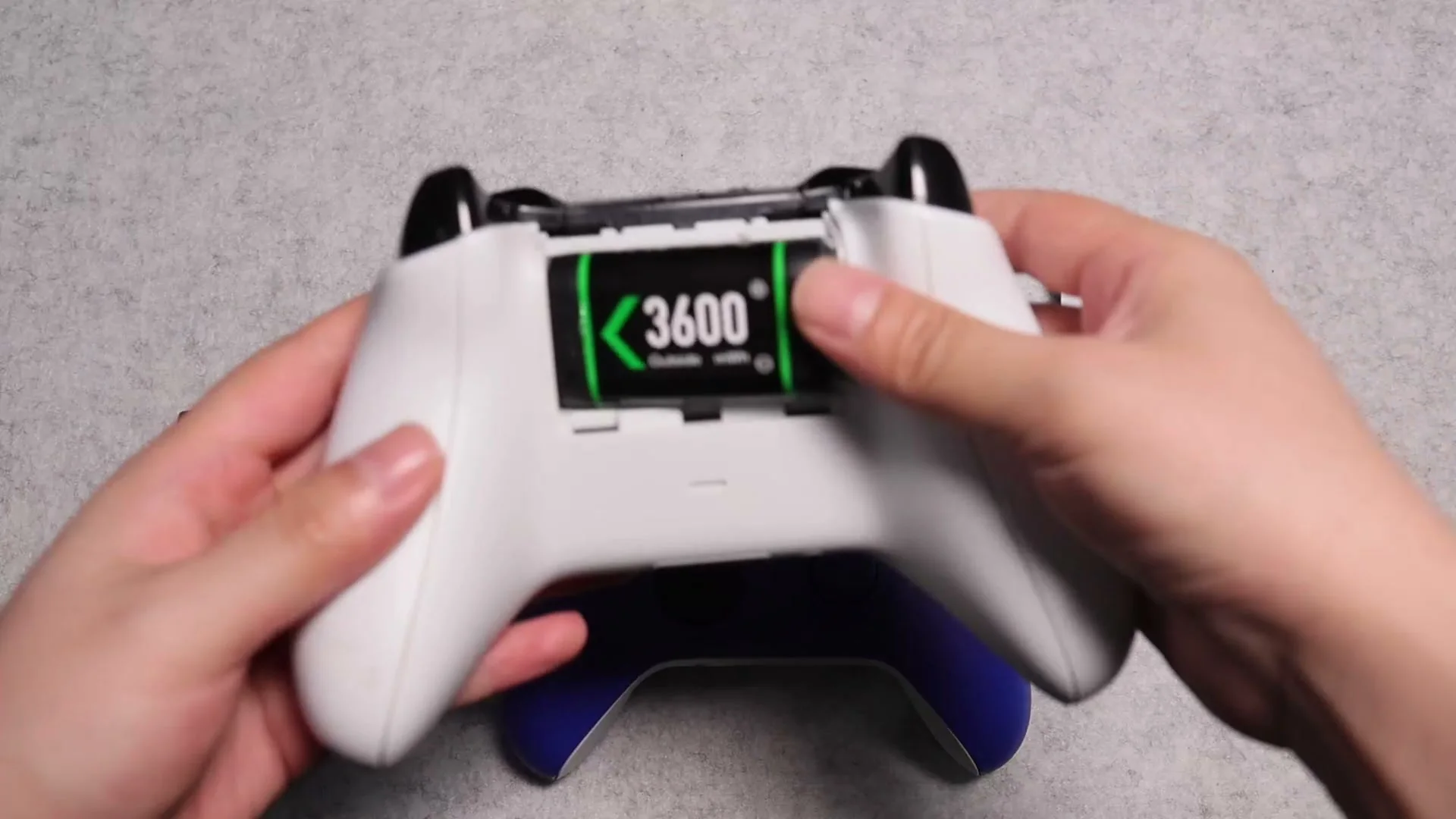
- Slide off the battery cover, lift out the tired pack and press in the charged one from the dock.
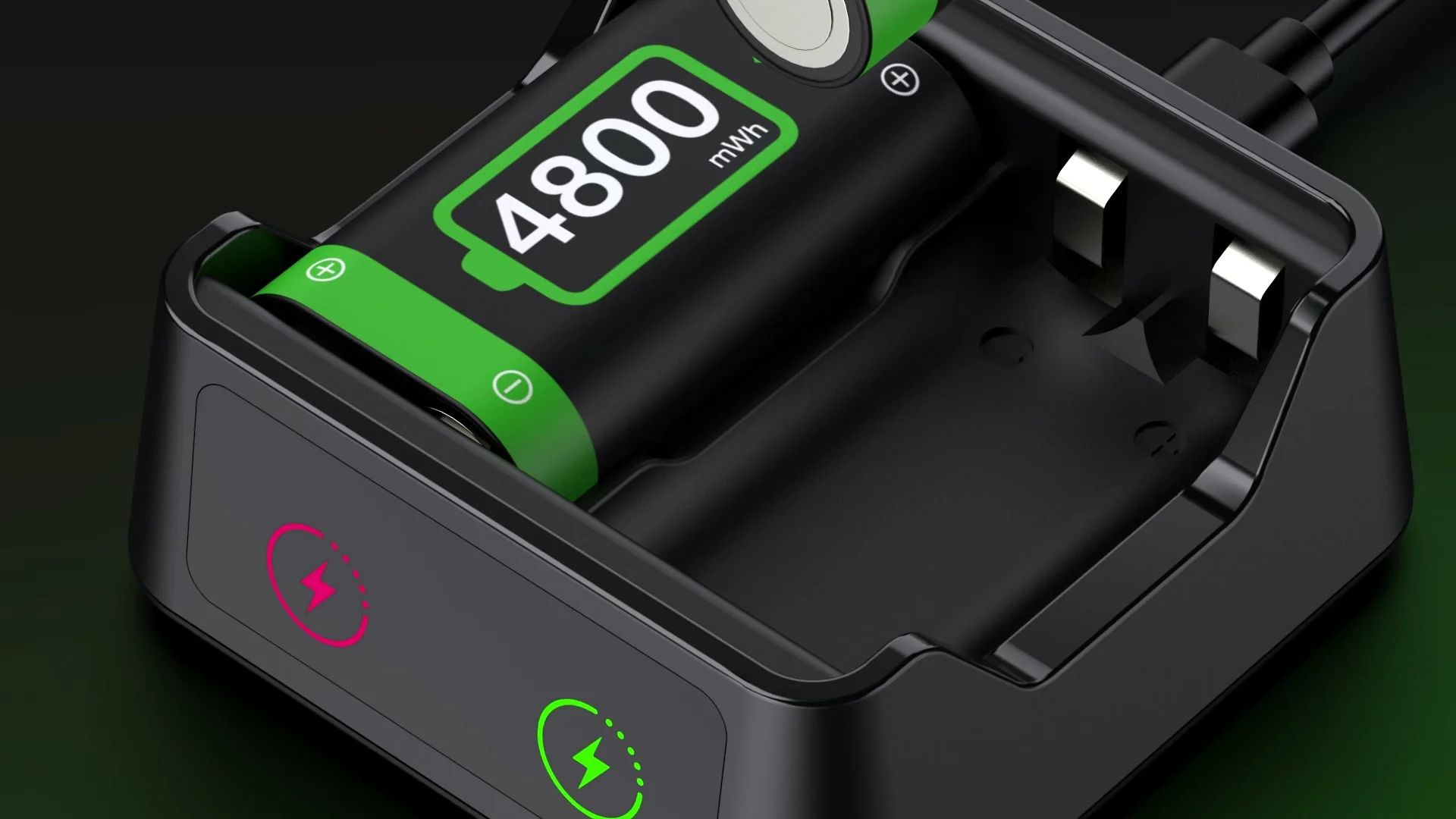
- Snap the cover back on and stand the tired pack in the empty slot. On our docks its light shows red while it charges.
- Leave it there until the light turns green. That pack is now the spare for the next swap.
Four packs stretch the routine to a second player. Each pad keeps one pack inside and has one waiting, and nobody has to share. The Quad Charging Dock fits that plan: it charges one pack or all four at the same time, with a light of its own for every slot.
Rotation also spreads the recharges across the set. The quad dock's packs are rated for 2,000 recharge cycles, and the PRO packs and the compact charger's packs for 3,000. Every charge counts against the pack that took it, so four packs used in turn each take a quarter of the charges a lone pack would.
When a play and charge kit beats a dock
A dock asks you to stop and swap. With a kit you keep going. Our Play and Charge Kit comes with two 4800 mWh packs, four battery covers and a USB-A to USB-C cable that plugs into the pack while it sits inside the controller. Run the cable to a USB port on the console or a computer, and the pack charges as you play. Unplug it and the controller is wireless again.
That makes the kit the better choice for one controller near a USB port, or for a match that runs longer than a pack. Next to the port on each pack, a small light shows red while it charges and goes off when it is full. The white kit comes with a 4.92 ft cable, so measure from your seat to the nearest port before you count on it.
A dock wins with several controllers in the house, with packs that get shared, or when you would rather not sit tethered to anything. Both sit on their own shelves: the play and charge kits and the charging stations.
A station that holds the whole controller
One of our stations takes the controller itself instead of a loose pack. The A100 stands two controllers upright in a station whose front is shaped like a robot helmet, and a compartment in its base stores the spare packs. Its 5520 mWh packs are rated at 18 to 25 hours of play and about 4 hours of charge. On the 4-pack option, two of the packs come already tucked into that compartment.
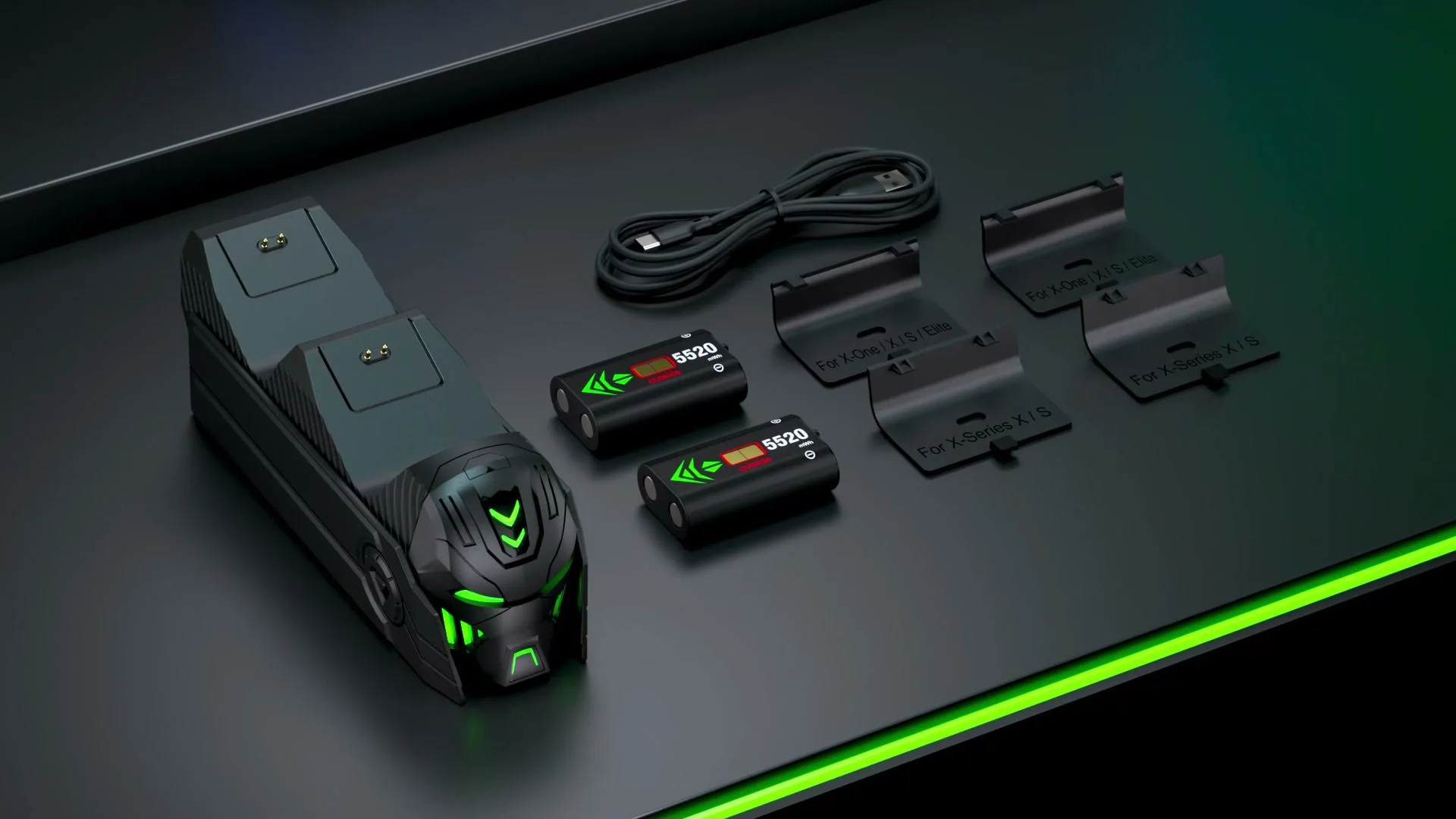
Every A100 box includes four battery covers, two for Xbox One and two for Series X|S, so the kit works with either generation of pad. Controllers are not in the box. When the spares wear out, the A100 Spare Battery Set adds two more packs and four more covers, and it is made for this station only.
For the biggest packs we make, look at the RGB station. Its 6200 mWh packs are rated at 15 to 20 hours, and the stand comes with two or four of them. A silicone pad underneath keeps it from sliding across the desk.
Which controllers take these packs
Our packs fit the battery compartment of the Xbox One, One S and One X controllers, the first Elite controller and the Series X|S controller. Xbox Support says the Xbox Wireless Controller runs on AA batteries or on the rechargeable pack of the Xbox One Play & Charge Kit, and our packs go into that same compartment. The Elite Series 2 is the exception: it has a built-in battery and no compartment at all, so no pack fits it. Xbox 360 pads and third-party controllers are out too. The full list lives on the controller compatibility page.
Xbox Support adds one more note: rechargeable AA batteries do not charge inside the controller and should be charged the way their maker recommends. A pack with its own port is a different thing, and the kit charges it in place. The U.S. Fire Administration recommends original or certified replacement chargers and cables, and charging on a solid, flat surface out of direct sunlight. Our guide to charging habits goes through the rest, light by light.
Every pack size in the table sits in the DINOSTRIKE collection, and the Xbox controller power shelf lines them up by dock, kit and spare set.
- Choosing a selection results in a full page refresh.
 DINOSTRIKE


